
Start from a system dashboard — or a blank canvas
Scryglass ships with system dashboards that give you a working view immediately. You can't break them: repositioning a widget or pointing it at different data is saved as your own customisation on top of the template. For full control, open the dashboard selector and choose Make new Dashboard — you get an empty canvas, already in edit mode.
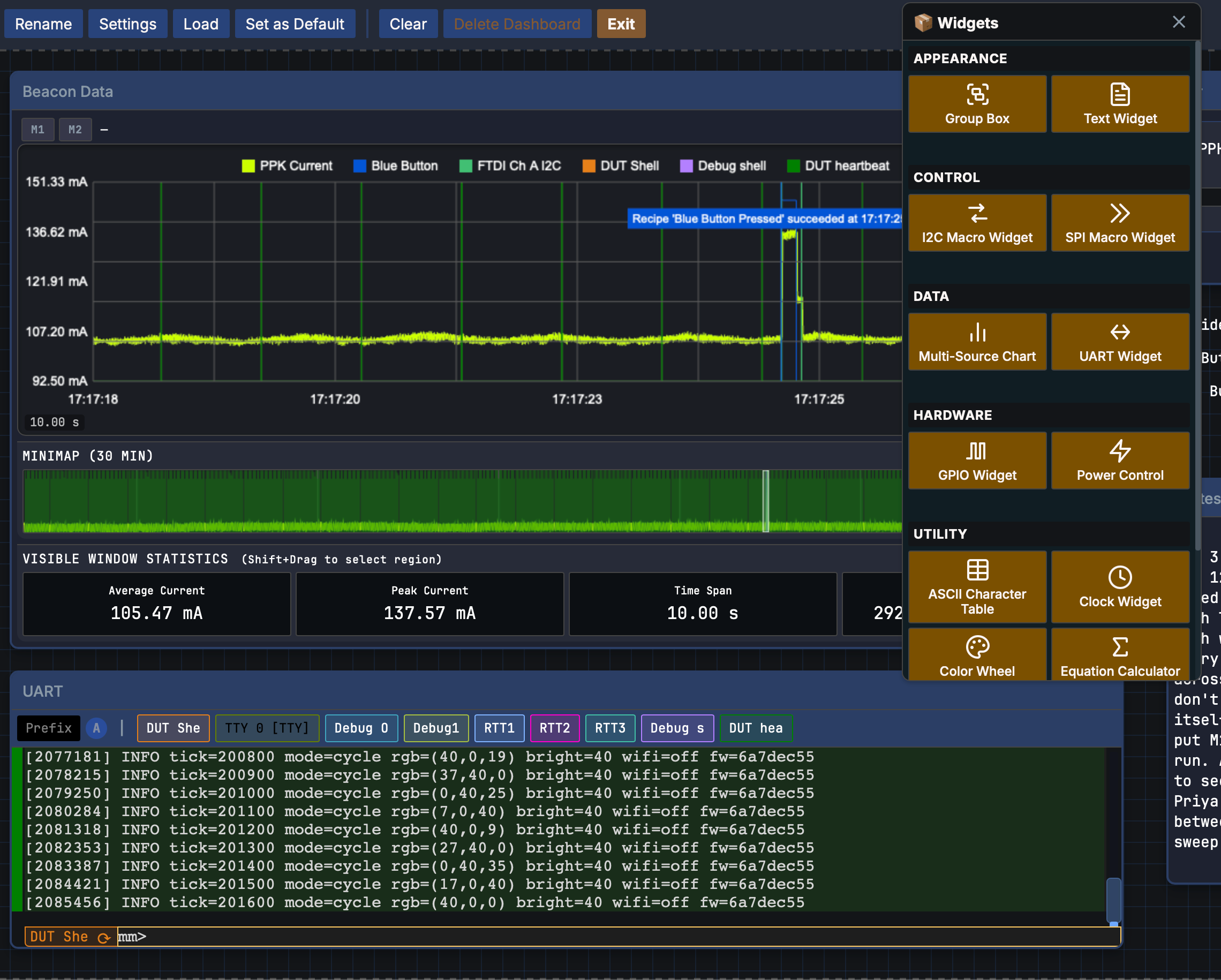
Add and arrange widgets
In edit mode, drag widgets from the palette onto the canvas, then position and resize them freely. Every layout change saves as you make it. The palette is grouped the way you'd reach for things:
Point widgets at your channels
Each widget has a settings gear where you choose what it shows — which channel a chart plots, which UART source a terminal follows, which pins a GPIO panel controls. Widgets bind to channels rather than to specific hardware, so the dashboard keeps working when you remap the project to another bench.
Exit edit mode and the dashboard is live: widgets stream in real time during capture, and scrub back through everything you've recorded.